Automatically Enrich Your HubSpot Contacts via LinkedIn Scraping – Free Guide + Make Workflow
The full automation, in your inbox
Automatically Enrich Your HubSpot Contacts via LinkedIn Scraping – Free Guide + Make Workflow

Automatic HubSpot Contact Enrichment via LinkedIn Scraping with Make and Captain Data – Complete Guide + 2 Free Workflows to Download
Prerequisites: Initial Setup in Captain Data
! You'll needPrerequisites: Initial Setup in Captain Data
- A Make account — the free tier covers most scenarios; upgrade only if you hit the operations cap.
- API credentials for the services used in this workflow.
The full automation, in your inbox
Make workflow breakdown.
01 Step 01Retrieve HubSpot Data in Make.
In Make, use the Webhook module to capture the information sent by the HubSpot private app when the LinkedIn URL property is modified on a contact.
Next, add a Get a Contact HubSpot module to retrieve all detailed information about the contact.
02 Step 02Check Conditions with a Filter.
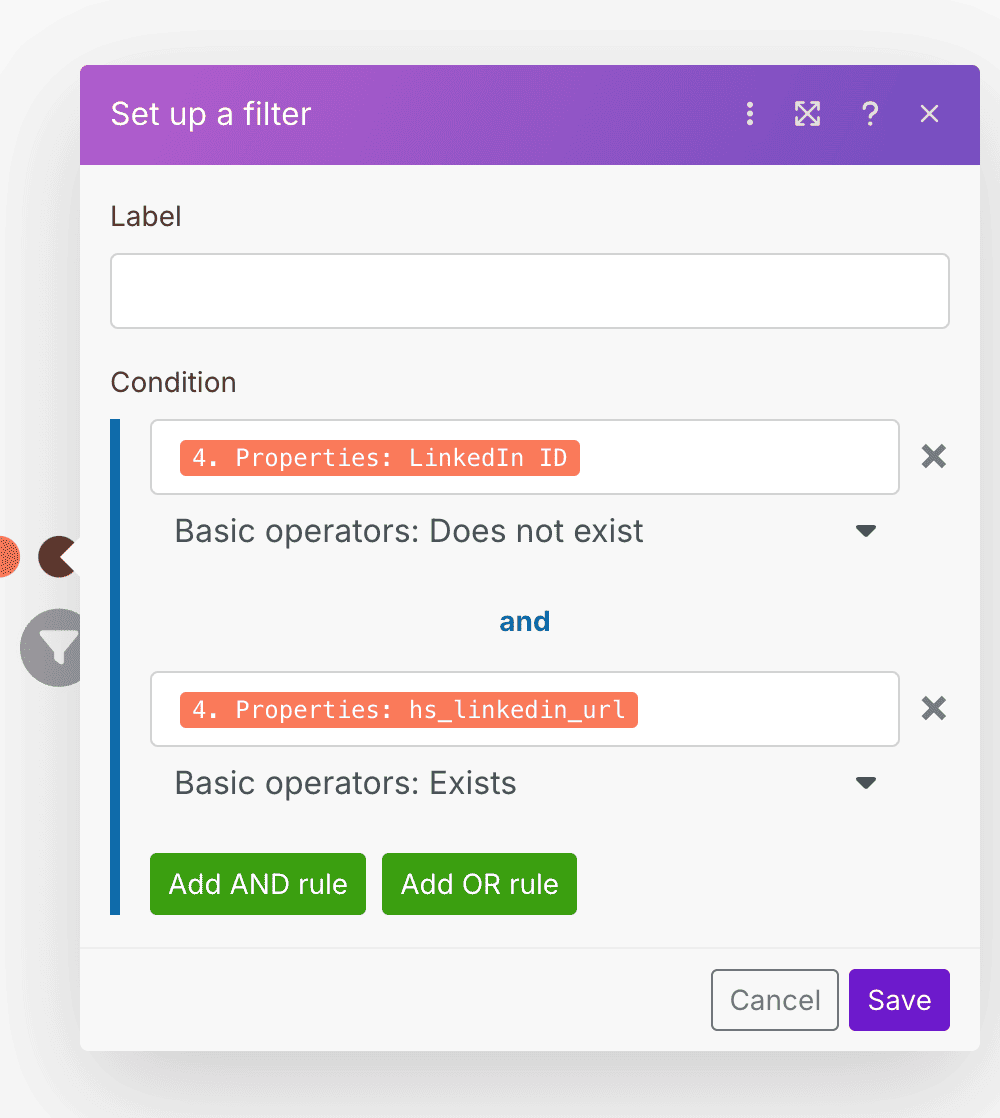
Add a filter in Make to check two key elements:
- That the LinkedIn URL property exists (it has been added or modified)
- That the LinkedIn ID property does not yet exist, to ensure the profile hasn’t already been scraped
This helps avoid unnecessary calls and optimizes the workflow.
03 Step 03Launch the Captain Data Request.
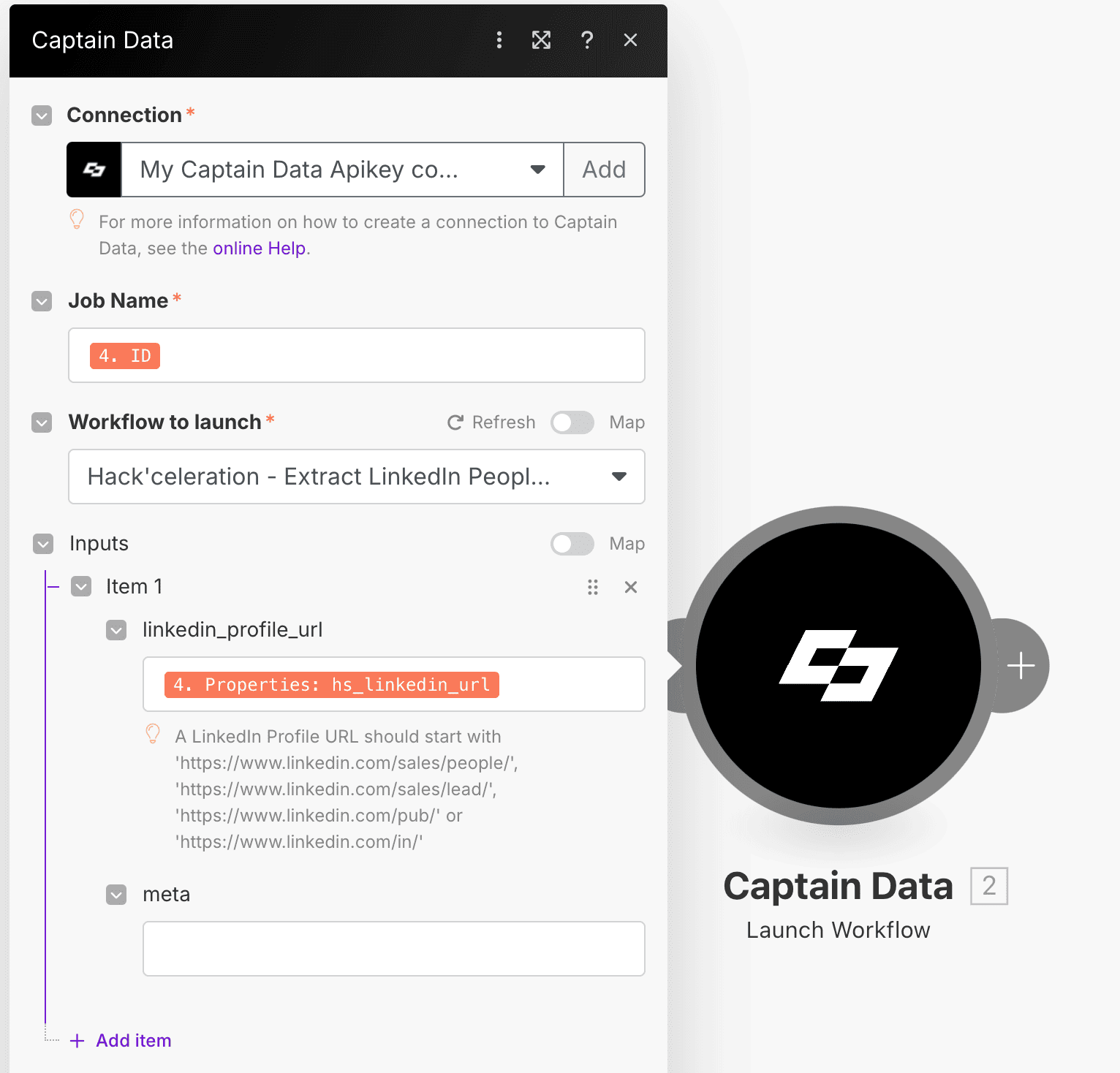
Add a Captain Data module in Make to launch the Extract LinkedIn People Profile workflow you previously set up in Captain Data.
- Fill in the LinkedIn Profile URL using the LinkedIn URL field from the HubSpot contact
- Fill in the Name (contact name)
- For Job Name, enter the contact’s HubSpot ID
- Select the Captain Data account to use for scraping
04 Step 04Configure the Return Webhook in Captain Data.
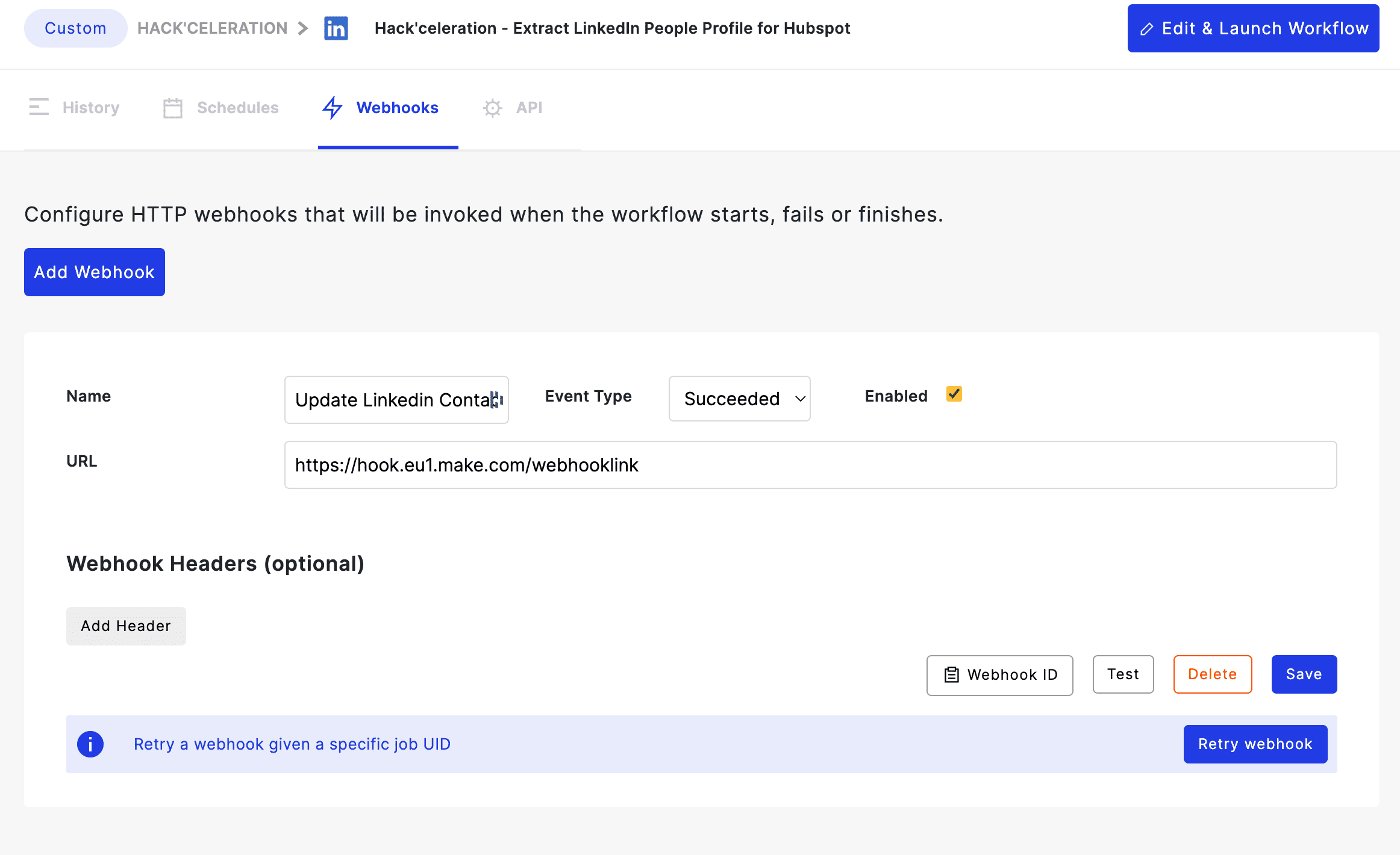
Get the Webhook URL associated with the HubSpot Add LinkedIn Profile Information on Contact workflow.
In Captain Data, open the Extract LinkedIn People Profile for HubSpot module and create a webhook:
- Add a new Event Type → select Succeeded
- Enter the Make webhook URL you retrieved
This will automatically send the scraping results to Make as soon as the task is completed.
A Captain Data screenshot will be displayed next to guide you.
05 Step 05Retrieve Results from Captain Data.
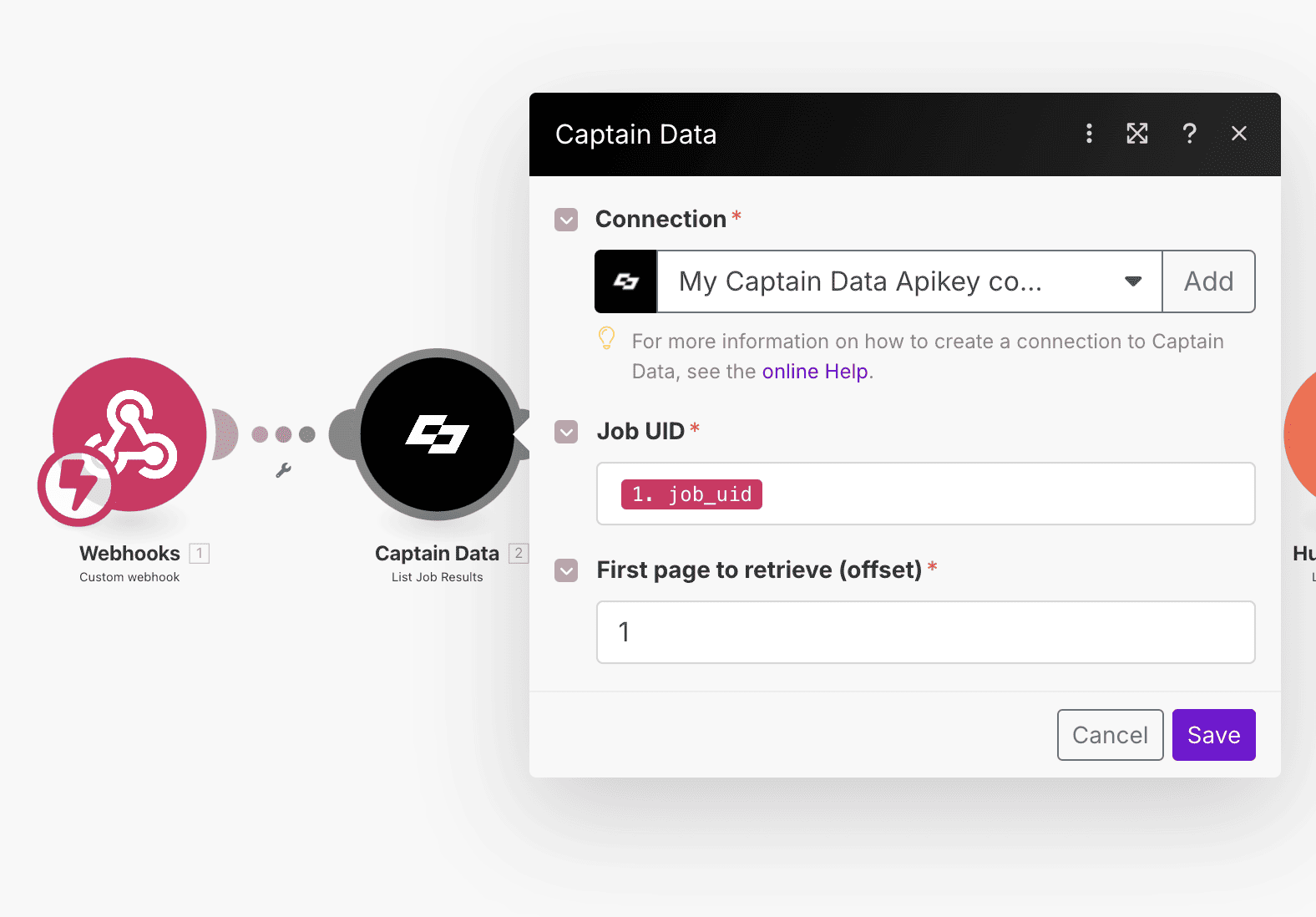
In the Make scenario HubSpot Add LinkedIn Profile Information on Contact, add a Captain Data → List Job Result module.
- Map the Job UID field with the UID received from the Captain Data webhook
This module automatically retrieves all the enriched data scraped from LinkedIn.
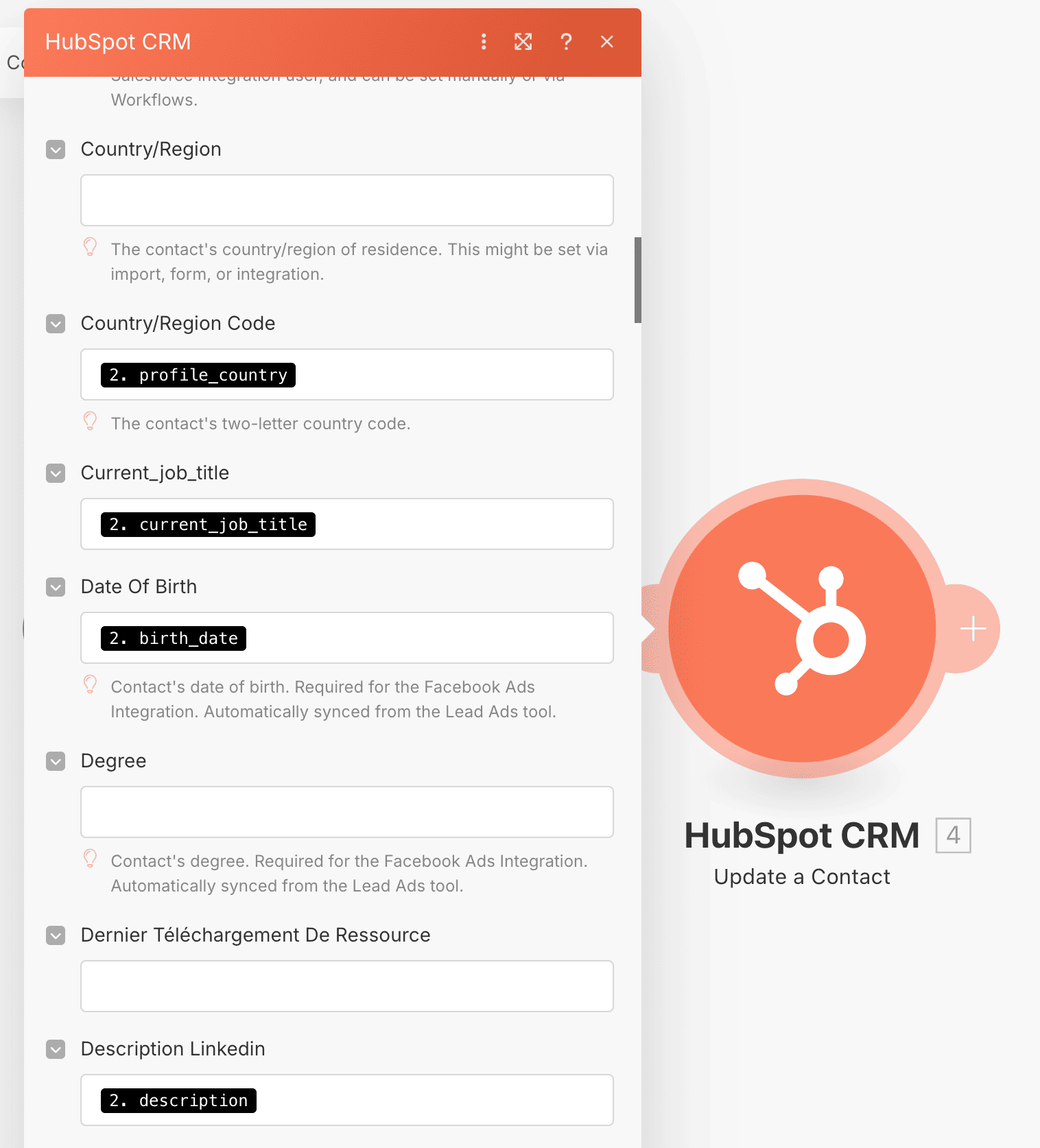
06 Step 06Update the Contact in HubSpot.
Add a HubSpot → Update a Contact module to update the CRM with the data enriched by Captain Data.
- Fill in the desired HubSpot fields, making sure they were created in advance (e.g., job title, seniority, industry, company size, etc.)
- Map the values retrieved from Captain Data to the correct HubSpot fields
This step completes the workflow and ensures your HubSpot contacts are always up-to-date and automatically enriched.
Discover how to easily automate the enrichment of your HubSpot contacts and companies through LinkedIn scraping with Make and Captain Data. Save time, eliminate manual errors, and benefit from always reliable, up-to-date data in just a few clicks. Follow the complete step-by-step guide or download the ready-to-use workflows!
Get the ready-to-import Make JSON plus the install guide
Drop your email and we'll send you the complete scenario.
- Make JSON ready to import
- Written setup guide
- Video tutorial included
The full automation, in your inbox.
Make JSON, written guide and video tutorial, everything to ship this in under 15 minutes.
- Complete Make scenario JSON
- Step-by-step setup documentation
- Full video walkthrough